 Hotkey
Free beta For Claude Code and other MCP agents
An always‑on browser for always‑on agents.
Stays signed in to your sites, works while your laptop sleeps, and asks your phone before it pays.
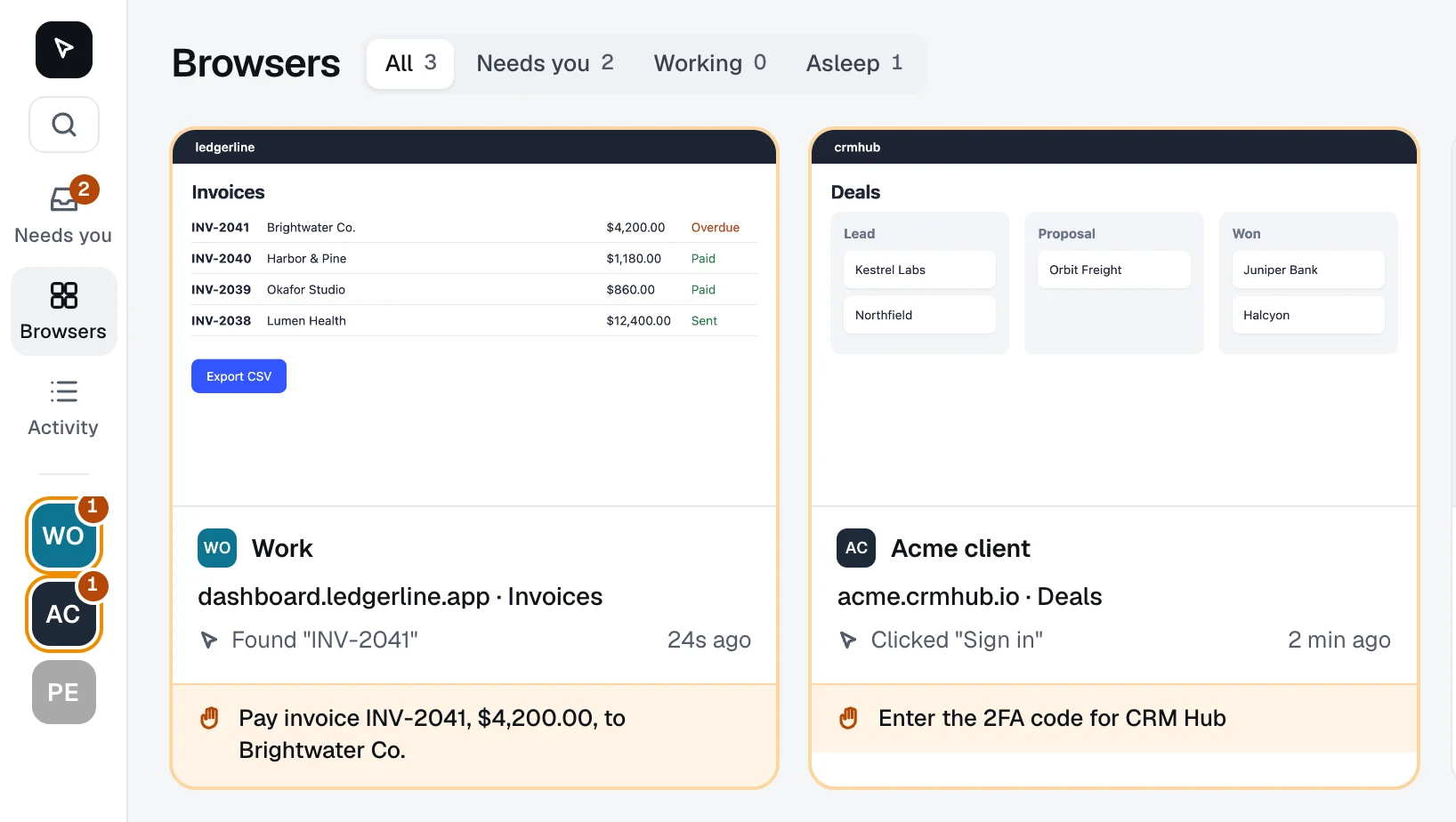
Try it: approve the payment, type Acme's code, wake Personal.
Your agents' browser, kept for them
Asks before it pays
Send, Pay and Delete wait for your OK.
Invoice INV-2041
Click one, as an agent would.
Answers from your phone
Approvals, 2FA codes and captchas arrive as a push.
Pay $4,200.00 to Brightwater Co.
Keeps going with the laptop shut
Close it. Your agents keep working.
One browser per account
Work, personal and each client get their own logins.
Add it to Claude Code
Copy a token from the console, then run:
$ claude mcp add --transport http hotkey https://mcp.hotkey.so --header "Authorization: Bearer <token>"Then sign in to your sites once.
Questions
What does it cost?
Nothing during the beta. We'll publish prices before it ends and tell beta users first. You can delete your account at any time.
Which agents work with it?
Any agent that adds MCP servers over HTTP; we build with Claude Code, cloud sessions included. The tools match Claude in Chrome's, plus two for asking you.
What does the lock catch, and what doesn't it?
Buttons and links labeled Send, Pay, Buy, Delete, Confirm and similar wait for you; one OK unlocks that tab for 10 minutes. Icon-only buttons and forms sent with Enter aren't caught, so the agent is also told to ask first.
How is it different from Browserbase or Claude in Chrome?
Browserbase gives developers fresh browsers for scripts; Claude in Chrome needs your laptop on. Hotkey keeps one signed-in browser per account, shared by all your agents, and hands you the steps only a person can do.
Where does it run, and what do you keep?
On one server we rent from Hetzner in Germany. Each browser keeps what any browser keeps, plus page pictures and a log of what agents did; agents never see your passwords, and other accounts can't reach your browsers. The privacy page has the full list.
Will sites block it, or ban me?
It's an ordinary Chromium signed in as you, from Germany; some sites ask you to confirm the first sign-in, which you do from your phone. Each site's own rules apply to your agents, as the beta terms say.
What if I lose my passkey, or the server fails?
Sign in with a code sent to your email, or with Google or Apple on the same email. Backups aren't on yet either, so if the server were lost you'd sign in to your sites again.
Give your agents a browser that stays signed in
Free during the beta. If it's full, you get in as room frees up.